
CloudStream Repositories & Extensions — Full List and Setup Guide
CloudStream Repositories are what you need to get the most out of the app. You’ve installed the app, opened it, and the screen is empty. That’s the single most common reason people land on this page and the fix takes about two minutes once you know where to look. This page covers every repository and extension you actually need, how to add them correctly, and what to do when one stops working.
CloudStream Repositories vs. Extensions — The Short Version
If you’ve read our main CloudStream Repositories guide, you already know the basic idea: a repository is a hub, and extensions are what live inside it. Here’s the part that page doesn’t go into — how this actually works under the hood, in plain terms.
Each repository is really just a link to a small file that lists what extensions are available inside it, along with where to download each one. When you add a repository using its link or short code, CloudStream reads that file and shows you the list. Nothing installs automatically at that point — you’re only looking at a menu. Installing an extension is a separate, second step, and it’s the extension itself that connects to a real content source.
This is also why repository size varies so much. Some CloudStream repositories carry one or two extensions built by a single developer. Others bundle together dozens, maintained by a small team, covering movies, anime, and live TV all under one link. Neither type is automatically better — a smaller, actively maintained repository is often more reliable than a large one nobody’s touched in months.
How to Add CloudStream Repositories (Two Ways)
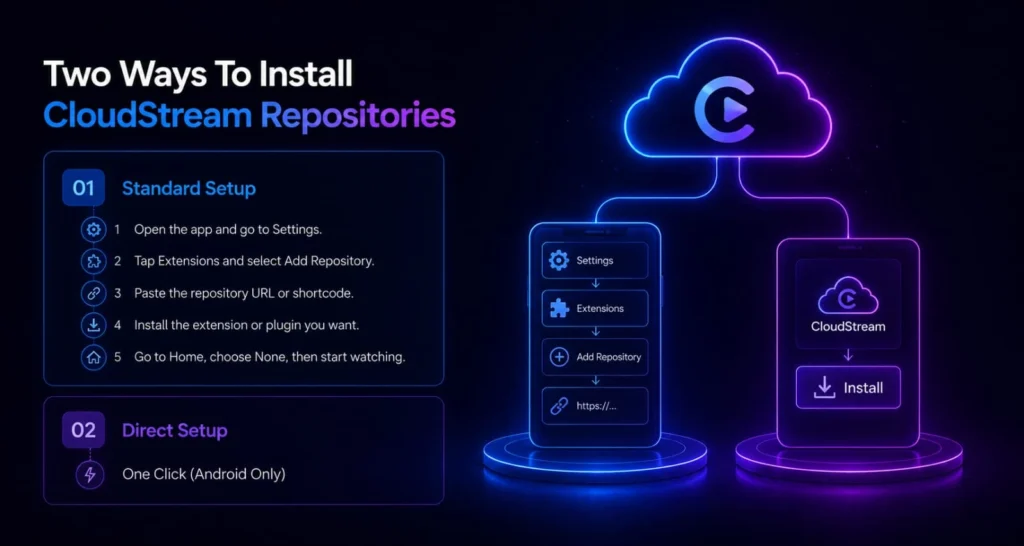
There are two ways to add CloudStream Repositories, and knowing both saves you time when one method doesn’t work.
Manual URL or Shortcode
1. Open CloudStream and go to Settings → Extensions → Add Repository.
2. Type the repository’s short code exactly as written — these are case-sensitive, so typing it in the wrong case is a common reason this step fails.
3. Tap Add. The repository should appear in your list within a few seconds.
Direct Link
1. Open a browser and go to the repository’s page (see the directory below).
2. Tap the direct install link. This opens CloudStream automatically and prompts you to add the repository.
3. Tap Open Repository to confirm.
The direct link method tends to work more reliably, since there’s no risk of a typo. If a short code isn’t being accepted, try the link version for that same repository before assuming it’s broken.
CloudStream Repositories Directory
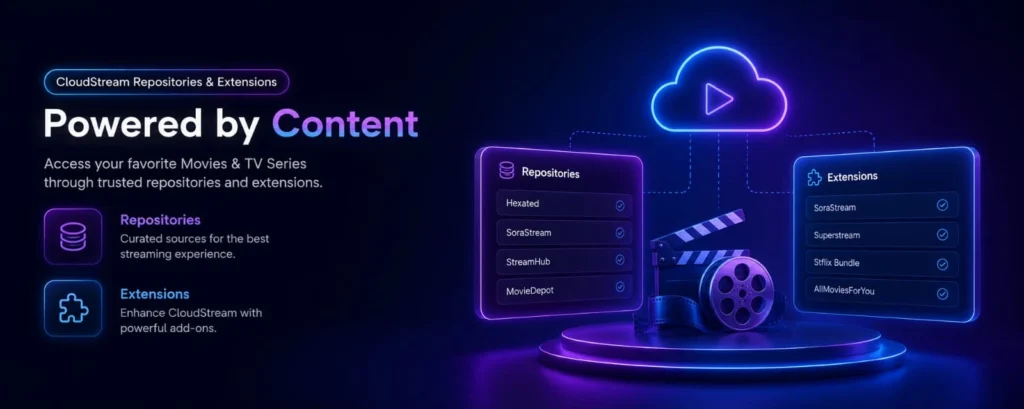
We check this list on a regular basis rather than publishing it once and leaving it — a repository directory that isn’t kept current is close to useless, since dead links are the single biggest complaint in this whole ecosystem.
| Repository | Content focus | Short code | Language | Last checked |
|---|---|---|---|---|
| CloudStream Providers Repository | Official / core providers | cspr | Not specified | 30 Aug 2026 |
| Mega Repository | Automatically adds functional repositories | megarepo | Not specified | 30 Aug 2026 |
| Phisher Repo | Hindi, English & regional content | phisherrepo | Hindi / English / regional | 30 Aug 2026 |
| Megix Repo / CSX | English & Hindi content | csx | Hindi / English | 30 Aug 2026 |
| 3rabi | Arabic content | arb | Arabic | 30 Aug 2026 |
| Turkish Providers Repository | Turkish providers | KekikAkademi | Turkish | 30 Aug 2026 |
| IndoStream Repo | Hindi & English content | indos | Hindi / English | 30 Aug 2026 |
| doGior’s Had Enough | Italian / mixed providers | gior | Italian / mixed | 30 Aug 2026 |
| CakeTwix Repository | Ukrainian providers | cakes | Ukrainian | 30 Aug 2026 |
| Italian Providers Repository | Italian providers | ipr | Italian | 30 Aug 2026 |
| Redowan’s BDIX Repository | English, Hindi & Bengali | redowan | English / Hindi / Bengali | 30 Aug 2026 |
| Reflex Repo | Mixed providers | reflex | Not specified | 30 Aug 2026 |
| Turkish Providers Repo | @kraptor123 | Turkish providers | kraptorcs | Turkish | 30 Aug 2026 |
| Luna712’s CloudStream Extension Repository | Dailymotion / Internet Archive | luna712 | Not specified | 30 Aug 2026 |
| CuxPlug | French providers | CuxPlug | French | 30 Aug 2026 |
| Saimuel Repo | Movies, anime, donghua & dramas | saim | Portuguese / mixed | 30 Aug 2026 |
| DiziPal & TabiiSpor | sarapcanagii/Pitipiti | Sports / Turkish | sarapcanagii | Turkish | 30 Aug 2026 |
| lawlietrepo | Anime & streaming providers | lawlietrepo | Portuguese | 30 Aug 2026 |
| King | XtreamIPTV | kingl | Not specified | 30 Aug 2026 |
| Arabico | Arabic providers | — | Arabic | 30 Aug 2026 |
| Aniyomi Compat | Aniyomi-compatible providers | — | Not specified | 30 Aug 2026 |
| CloudX Repository | Indonesian / mixed providers | cloudx | Indonesian / mixed | 30 Aug 2026 |
| DieGon Repository | Italian streaming | diegon7 | Italian | 30 Aug 2026 |
| cs-karma | Movies, anime, sports & TV | cskarma | Mixed | 30 Aug 2026 |
| Netmirror Repo | Netflix, Disney+, Hotstar & Prime Video | Netmirror | Mixed | 30 Aug 2026 |
| German Providers Repository | German providers | gpr | German | 30 Aug 2026 |
| zzikozz / French Repo | French streaming | zzikozz | French | 30 Aug 2026 |
| GramFlix | French streaming | gramflix | French | 30 Aug 2026 |
| Cinephile | Not specified | — | Not specified | 30 Aug 2026 |
| Cartoony Repo | Cartoon providers | — | Not specified | 30 Aug 2026 |
| Storm-ext | Not specified (fork by redblacker8) | — | Not specified | 30 Aug 2026 |
| Kraptor’un CloudStream Reposu | Not specified | — | Not specified | 30 Aug 2026 |
| CNC Verse Repository | Movies, series, sports & live TV | cncv | Multilingual | 30 Aug 2026 |
| CloudStream Vietnamese | Vietnamese providers ⚠ source flagged as outdated/sketchy | viet | Vietnamese | 30 Aug 2026 |
Best CloudStream Extensions by Category
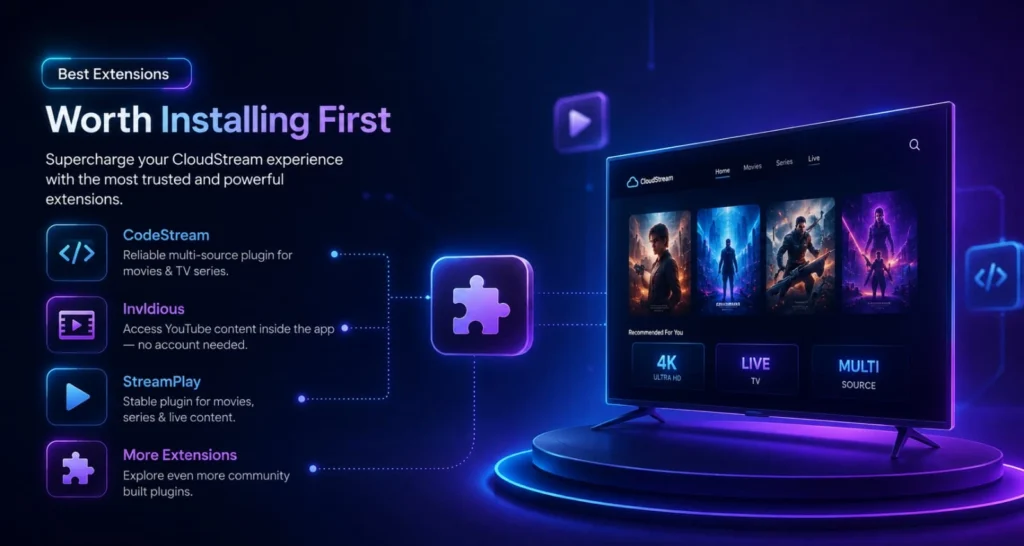
For Movies & TV Shows
Look for extensions clearly labeled by content type rather than vague names. An extension that lists its supported quality (up to 1080p or 4K) and update frequency in its description is generally better maintained than one with no details at all.
| Repository | Short code | Extensions |
|---|---|---|
| Hexated | mwyw140i | Sorastream |
| English | 6wyw1RnS | Superstream, Sflix bundle, AllMoviesForYou |
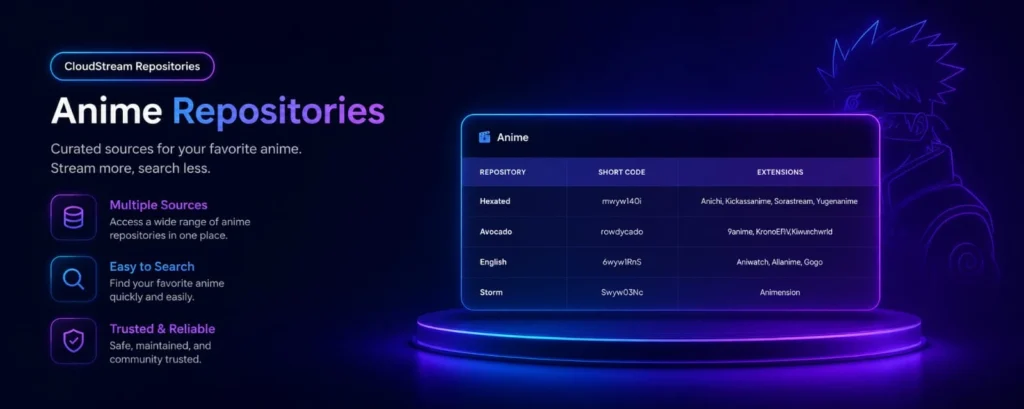
For Anime
Dedicated anime extensions usually offer both subbed and dubbed options, and the better ones list whether new episodes appear the same week they air in Japan. This detail alone tells you how actively the extension is maintained.
| Repository | Short code | Extensions |
|---|---|---|
| Hexated | mwyw140i | Anichi, Kickassanime, Sorastream, Yugenanime |
| Avocado | rowdycado | 9anime, KronchEN/Kwunchwoll |
| English | 6wyw1RnS | Aniwatch, Allanime, Gogo |
| Storm | Swyw03Nc | Animension |
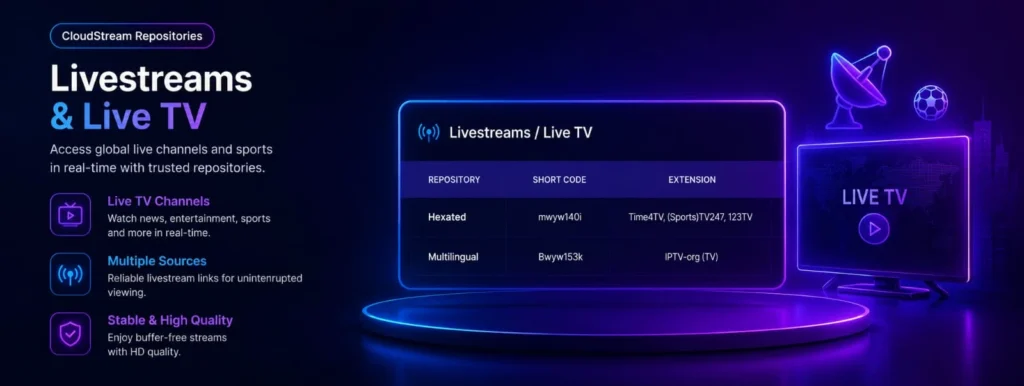
For Live TV & LifeStreams
Live TV extensions vary the most in reliability, since they depend on external streams staying online. Extensions that list specific countries or channel counts in their description tend to be more transparent — and more trustworthy — than ones with a generic “all channels” claim.
| Repository | Short code | Extensions |
|---|---|---|
| Hexated | mwyw140i | Time4TV (Sports), TV247, 123TV |
| Multilingual | Bwyw1S3k | IPTV-org (TV) |
For Regional & Language-Specific Content
This is where CloudStream genuinely outperforms most alternatives — regional communities maintain their own dedicated repositories rather than relying on translated versions of English-language ones.
| Repository / Language | Short code |
|---|---|
| English | 6wyw1RnS |
| Multilingual | Bwyw1S3k |
| Arabic | Jwyw1ZiR |
| Hexated (Multilingual) | mwyw140i |
| Likdev (Hindi/Urdu) | bwyw0Mcv |
| Storm (Spanish) | Swyw03Nc |
| Crunchyroll | wwyw2e4x |
| French | jwyw2fJc |
| Horis (Chinese/Mandarin) | Owyw2lbO |
| CakesTwix (Ukrainian) | gwyw2YuE |
| FStream (French) | fstream |
| Avocado | aguaco |
| Turkish | KekikAkademi |
| Arabico (Arabic) | 0wF96Vs1 |
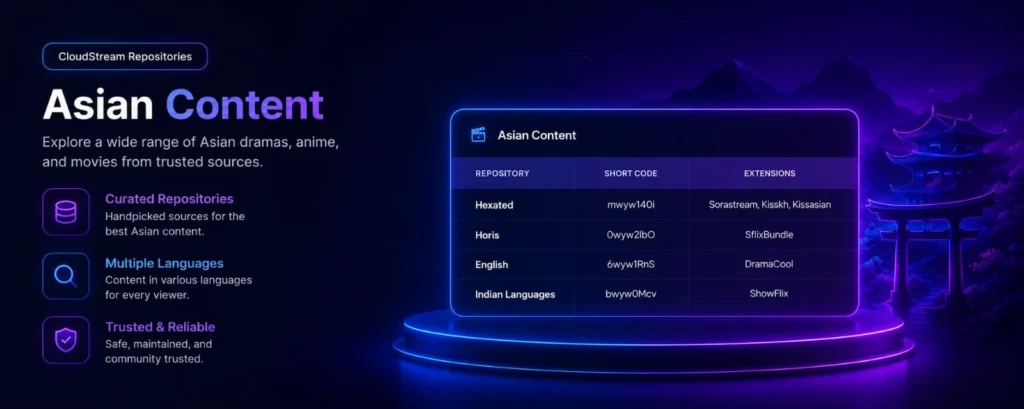
| Repository | Short code | Extensions |
|---|---|---|
| Hexated | mwyw140i | Sorastream, Kisskh, Kissasian |
| English | 6wyw1RnS | Sflix bundle |
| Horis | Owyw2lbO | Dramacool |
| Indian Languages | bwyw0Mcv | ShowFlix |
For Documentaries & Classic Film
Smaller, specialized extensions exist for this category specifically, since general movie extensions tend to focus on recent releases. These are usually found in dedicated film archive repositories rather than mainstream ones.
For Sports
Sports content needs the most frequent updates of any category, since it depends entirely on live streams staying online during an event. Repositories updated within the last few weeks are worth far more here than a large, older one.
Stable vs. Beta CloudStream Repositories — Which Should You Use?
You’ll sometimes see a repository offered in two versions: stable and beta. This distinction matters more than it looks like at first glance.
A stable repository has been tested and is less likely to break unexpectedly, but new fixes and additions take longer to reach it. A beta repository gets updates faster — sometimes within days of a source changing — but carries a slightly higher chance of a temporary bug slipping through before it’s caught.
If you mainly want something that works without thinking about it, stick with stable versions. If a specific extension keeps breaking on the stable channel, checking whether it has a beta version available is often the faster fix, since beta releases tend to catch source changes before the stable version gets updated to match.
Updating CloudStream Repositories You’ve Already Added
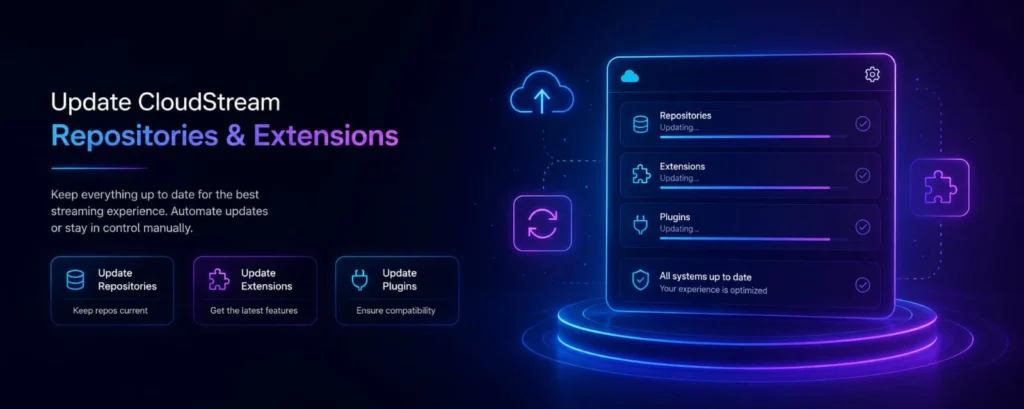
Repositories update automatically in most cases — you don’t need to remove and re-add one just because it has new content or extensions available. If a repository feels out of date despite this, closing and reopening CloudStream forces it to re-check each added repository, which usually resolves it. If that still doesn’t pull in changes, the repository’s own link may have moved, which is different from a normal update and is covered in the troubleshooting section below.
How This Compares to Kodi Add-ons and Stremio Add-ons
If you’ve used Kodi or Stremio before, the repository and extension system here will feel familiar, with a few real differences worth knowing:
Compared to Kodi add-ons:
Kodi’s system allows much deeper customization — builds, skins, and add-on repositories that go far beyond streaming. This app’s repository system is narrower by design, focused specifically on content sources, which makes it faster to set up but less flexible for anyone wanting a fully customized media center.
Compared to Stremio add-ons:
Stremio leans toward a smaller number of built-in, centrally managed add-ons. This repository model is more open — anyone can publish one — which means more total options, but also more variation in quality and reliability between them.
Neither approach is objectively better; they suit different priorities. If you specifically want maximum content variety and don’t mind occasionally checking whether a repository is still current, this model fits that better than either alternative.
CloudStream Repositories by Language
Language-specific repositories are maintained independently, often by community members based in that region, which tends to make them more accurate than a repository simply translated into another language.
French:
Repositories focused on French-language film and TV content, maintained by the French CloudStream community
Arabic:
Extensions covering Arabic-language films, series, and regional live TV
Indonesian:
Repositories built specifically around Indonesian streaming platforms and local content
Turkish:
Extensions covering Turkish drama and film, a category with a large dedicated audience
If you’re specifically looking for one of these, search for the repository by name rather than assuming a general repository includes non-English content — most don’t.
How to Tell If a Repository or Extension Is Safe to Install
Anyone can technically publish an extension, so it’s worth applying a little judgment rather than installing the first result you find:
Check for a Real Description:
A repository or extension with no explanation of what it does or who maintains it is a weaker bet than one with clear, specific details.
Look at How Recently It was Updated:
A repository untouched for six months or more is far more likely to have broken links than one updated in the last few weeks.
Prefer Repositories Mentioned Across Multiple Independent Sources:
Rather than one you only found in a single place. If a repository is genuinely reliable, it tends to show up consistently across community discussions, not just one listing.
Install one Extension at a Time:
This makes it immediately obvious which extension is causing a problem if something goes wrong, instead of troubleshooting several new additions together.
None of this makes an extension “verified” in any official sense — CloudStream itself doesn’t review third-party extensions. It just means you’re making an informed choice instead of a blind one.
Common CloudStream Repositories & Extensions Problems
Repository Shows “Invalid” or Won’t Load:
This usually means the link has changed since it was last shared — search for the current version rather than retrying the same broken link repeatedly.
Repository Loads but the Extension list is Empty:
Occasionally a repository’s own file updates before its extensions do. Waiting a few minutes and reopening the repository usually resolves this.
Same Extension Appears Twice after Adding Two Repositories:
Some extensions are bundled into more than one repository. This isn’t an error — either copy works identically, so it’s safe to remove one.
An Extension was Working Yesterday and isn’t Today.
Extensions depend on the source they connect to. If that source changes something on its end, the extension itself may need an update from its repository before it works again — this isn’t something CloudStream controls directly.
A Repository Takes a Long Time to Load.
Larger repositories with many extensions naturally take a few seconds longer than small ones. If it hangs for more than a minute, your connection is the more likely cause than the repository itself.
The App Closes or Freezes When Opening a Specific Extension:
This usually points to a compatibility issue between that extension and your current app version, rather than a problem with your device. Updating both the app and the extension to their latest versions resolves this in most cases; if it persists, removing and reinstalling just that one extension is the next step.
For issues with the CloudStream app itself, rather than a specific repository, see our main troubleshooting guide.
Why Some Extensions Break More Often Than Others
This is worth understanding rather than just accepting as random bad luck. Extensions connect to outside content sources that CloudStream’s developers don’t control. When one of those sources changes its website structure, blocks certain traffic, or shuts down, the extension connected to it stops working until someone updates the extension to match.
Actively maintained GitHub Repositories can fix these issues quickly, sometimes within days. Repositories nobody’s actively maintaining can stay broken indefinitely. That’s the real reason “last updated” matters more than almost anything else when choosing where to add your extensions from.
Backing Up Your Repository and Extension Setup
If you’re setting up CloudStream on a new device, or reinstalling after clearing your phone’s storage, rebuilding your repository list from scratch each time gets old fast.
CloudStream includes a backup option under Settings → General → Backup, which saves your added repositories, installed extensions, and app preferences to a file you can restore from later. It’s worth doing this once your setup is exactly how you want it, rather than only after something goes wrong. Restoring on a new device takes a fraction of the time that manually re-adding each repository would.
A Few Practical Tips – CloudStream Repositories Installation
Bookmark This Page Rather Than a Specific Repository Link.
Individual repository links change; this directory gets updated to reflect that.
Don’t Chase Every Repository You Come Across.
Two or three well-maintained repositories covering what you actually watch will serve you better than ten inconsistent ones.
If an extension asks for permissions that don’t make sense for a streaming app, that’s worth being cautious about:
A subtitle extension needing contact access, for example, has no real reason to.
Keep CloudStream itself updated separately from your Extensions:
App-level updates and extension updates happen independently of each other.
CloudStream Repositories & Extensions – Frequently Asked Questions
A repository is a hub containing multiple extensions. An extension is what actually connects to a content source. You add a repository once, then choose which extensions inside it to install.
Short codes are case-sensitive. Retype it exactly as shown, or use the direct install link instead if it’s still not accepted.
Yes. There’s no limit on how many repositories you can add, though installing too many extensions from repositories you don’t actually use just adds clutter to your browsing list.
Some extensions are included in more than one repository by design. Both copies work the same way, so having one is enough.
Go to Settings → Extensions, find the repository or extension, and remove it from there. This doesn’t affect anything else you’ve installed.
Some repositories include family-friendly or kids-focused sections, though CloudStream itself doesn’t offer built-in parental controls — that’s worth keeping in mind if this matters for how the app is being used.
No. Every repository and extension covered here is free to add.
Search for the repository by name along with the language you’re looking for — most regional repositories are named clearly enough to identify.
Occasionally a repository’s listing updates slightly after the repository itself is added. Waiting a minute and reopening it usually resolves this.
It carries more uncertainty than a repository with an established, visible history. Checking for a clear description and a recent update date before installing is a reasonable way to reduce that risk.
Yes. Repositories aren’t tied to a single device or account — you can add the same one on your phone, Android TV, and Fire Stick separately, since each install of CloudStream keeps its own settings.
Extensions installed from that repository usually stop receiving updates, though they may keep working for a while depending on how the extension itself was built. Reinstalling the repository restores normal updates going forward.
It comes down to how many developers contribute to that particular repository. A repository maintained by a small, active team can end up with dozens of extensions, while one maintained by a single person might have just a few — extension count alone isn’t a reliable sign of quality.
Extension-level update history isn’t always visible from inside the app. When it matters, checking the repository’s own listing page (linked in the directory above) usually shows more detail than the in-app view does.